AI that works the ticket.
Every AI action lives in the chatter of the record itself. Run it, review the result as an internal note, send it when you agree. These are live runs on a demo database, not mockups.
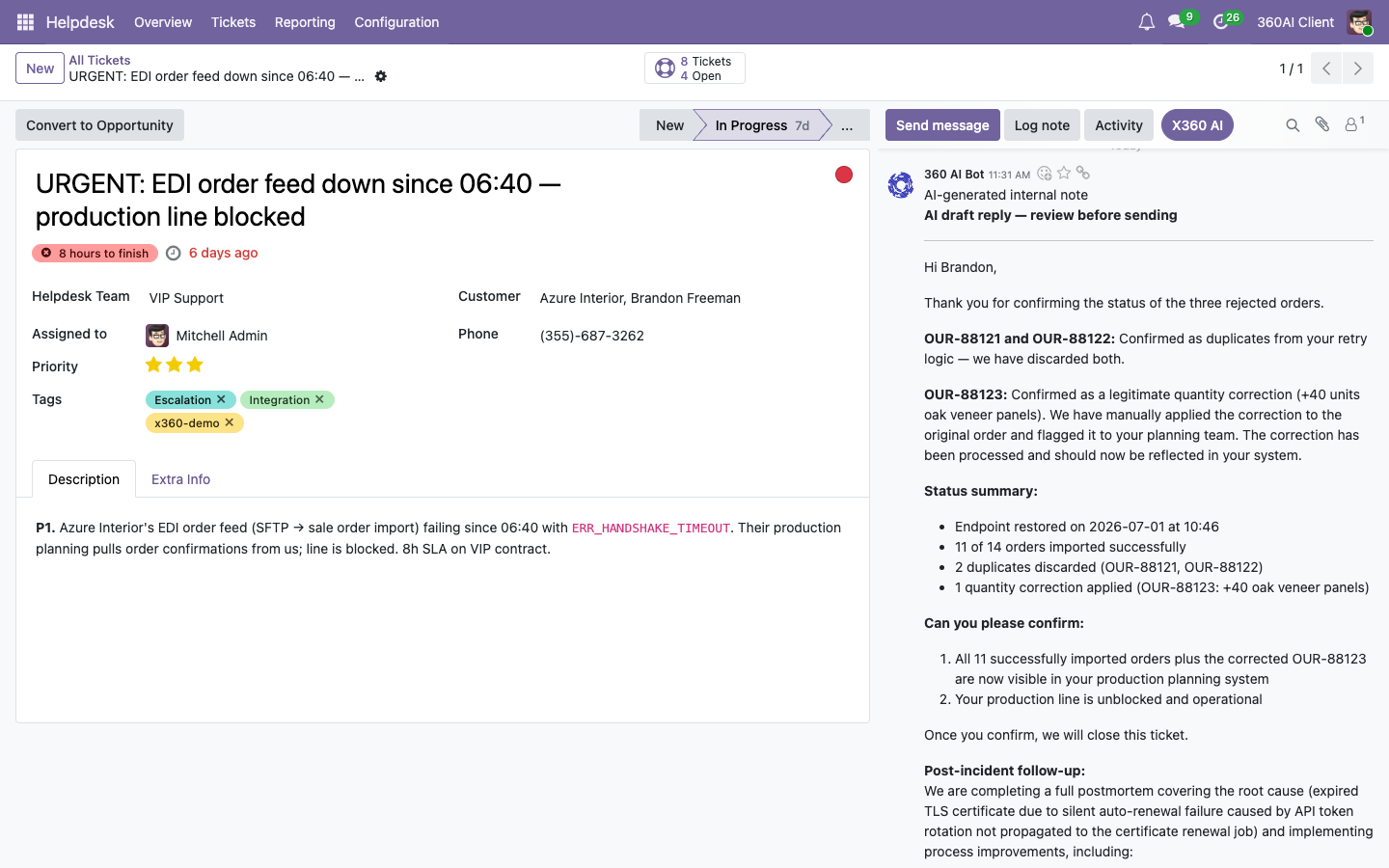
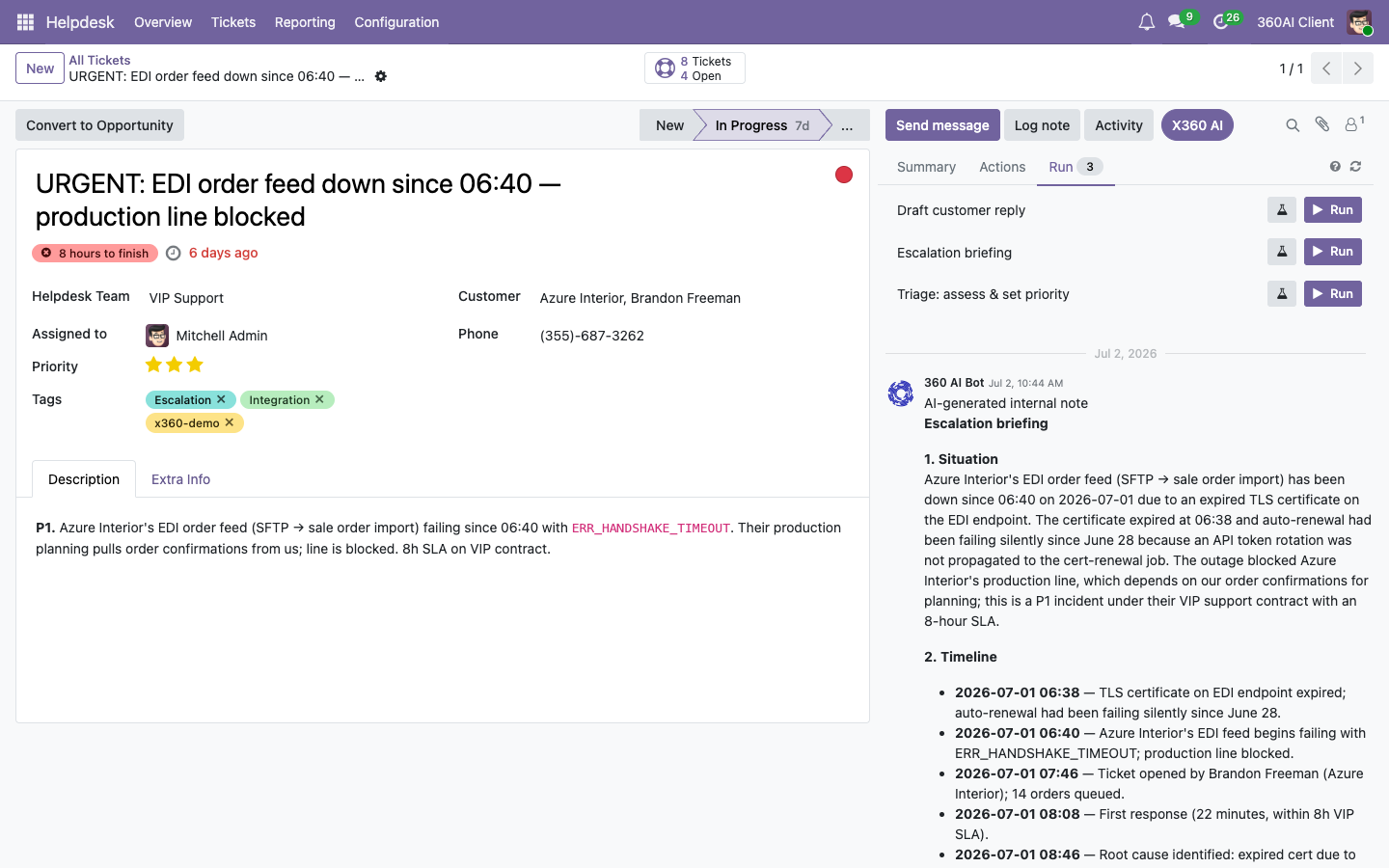
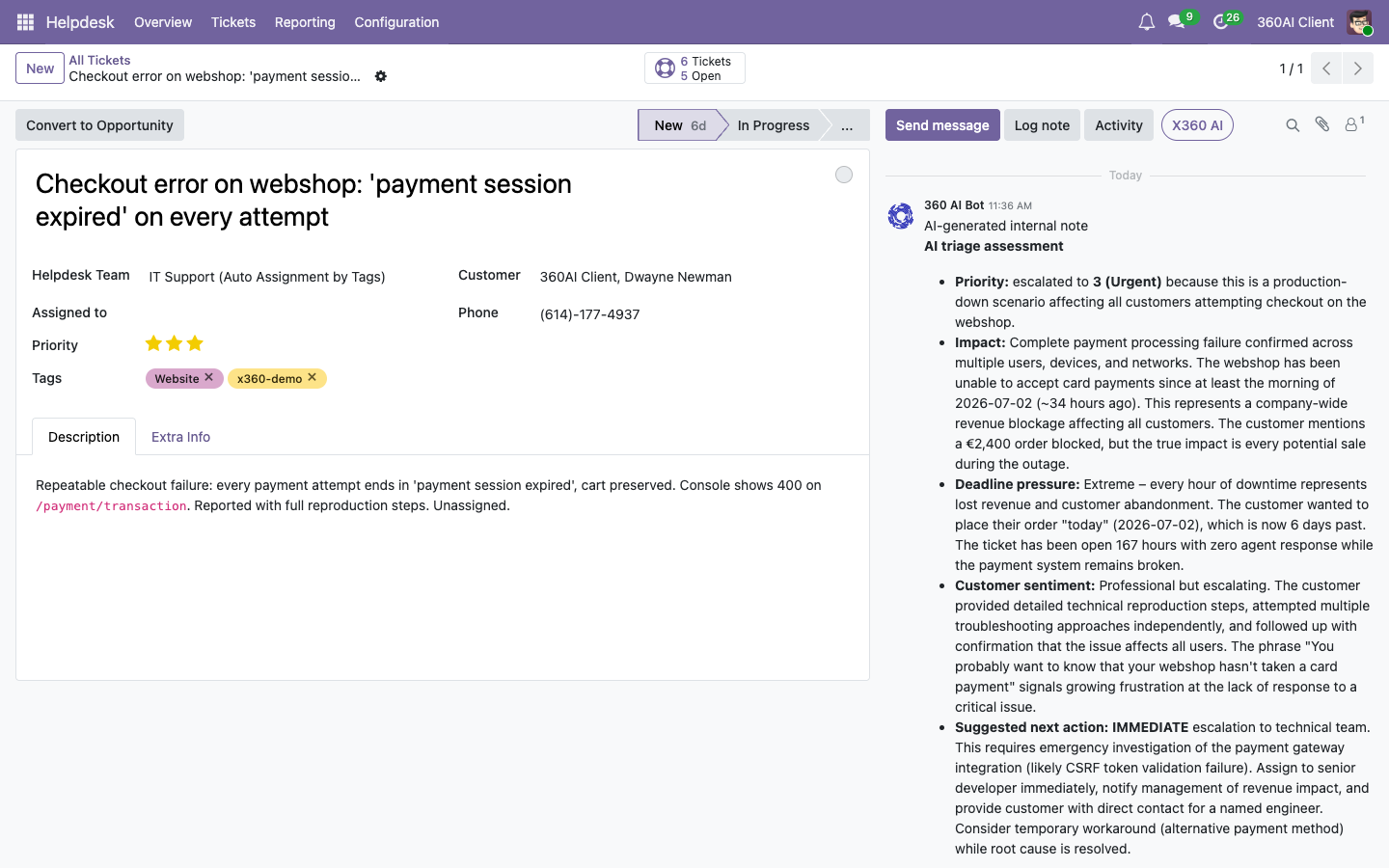
No prompts to write. Results you review.
The prompts live on the 360 AI server, managed centrally and synced to your Odoo. Written and tuned by 360 ERP's consultants, not by your users. What runs, on which records, is your call.
360 ERP defines the action
A prompt describes the job: draft a reply, triage, brief an escalation, summarise. It states what the AI gets to see and what shape the answer must take. Our consultants configure this upfront, for your processes.
Run it, or let a trigger
Users run actions from the chatter's X360 AI panel. Triggers run them automatically when records change, through the async job queue.
Review and send
Results arrive as internal notes, drafts and pending decisions, never as silent changes to customer-facing data. Your team stays the editor in chief.
Eleven apps in, and counting.
The same engine powers AI features across Odoo. Install per app, so you roll out where it pays first. The branded six from the Solutions page live here. This is the full spread.
Leads, orders, tickets, tasks, pickings, contacts, journal entries: an always-fresh AI summary on the record, updated when it changes, generated in the background.
Search in plain language: type "open orders from German customers above 5k" over any list view and it becomes a proper Odoo filter.
Inbound customer messages arrive with an AI-drafted answer waiting in the template, tuned per helpdesk team.
An enhance button in the composer rewrites for clarity, grammar and your company's own tone of voice, before you hit send. No generic AI English.
Lessons learned stay current: suggestions are merged into Knowledge articles through a colour-coded diff you approve line by line.
A periodic digest of what the AI did across your database: records touched, actions run, per model.
The accounting audit pack reviews journal entries for duplicates, odd GL accounts and lock-date gaps at period close.
Flags issues and prepares the fix. AI proposals that need a human land in a systray inbox with a review dialog: approve, adjust or reject.
Management reports on demand: structured, multi-line AI reports on your data, stored on the client and refreshed from the server.
Day one, not month three.
The platform ships with 50+ ready-made prompts and actions, installed and configured by 360 ERP on day one. Connect a provider and they work. Your team never writes a prompt.
Tuned summary prompts per record type, each in two stages: a full first pass, then cheap incremental updates when the record changes.
Actions that do something with the answer, not just print it.
Month-end checks that read your books and report what a controller would flag.
The composer styler and natural-language search come pre-prompted, full or partial text enhancement included.
Built-in quality loops: the model reviews prompts and configurations and proposes better versions, and every change is graded by the eval framework before it ships. You approve; the details live on the technical page.
Put AI inside the apps
your team already trusts.
360 AI is built and implemented by 360 ERP, on Odoo 16 through 19, 20-ready. Start with one team, one model, one action.
Talk to 360 ERP